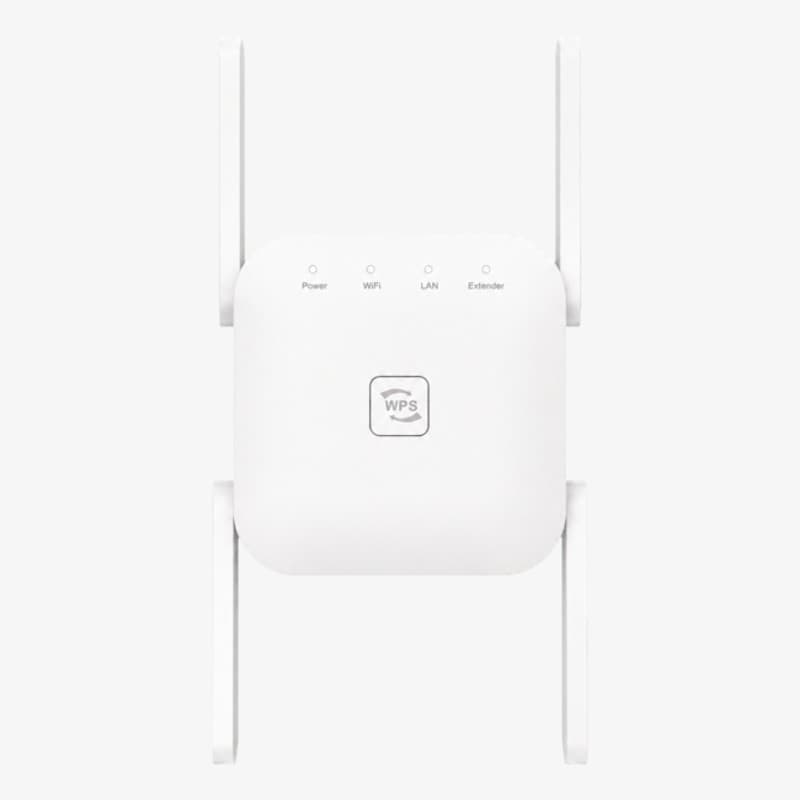
WiBoost X reviewCoverage, placement and specs to check
A closer look at the US Wi-Fi extender offer, with placement advice and an important question about its wireless bands.
Consider it for one weak coverage area after confirming the exact model and supported bands. The merchant lists conflicting frequency information, so do not buy on a dual-band assumption.
A good connection beside the router and a poor one at your desk is a different problem from slow internet everywhere. WiBoost X is aimed at the first situation: extending an existing wireless network into an area with weak coverage.
The format could suit a single troublesome room. Before buying, however, confirm the exact wireless specification. The merchant page contains conflicting band information. This is a review of the published offer and its practical implications, not a measured speed test.
Trylitics may earn a commission from purchases through our links. How this works.
What we liked
- Compact plug-in format
- Seller describes extender and access-point modes
Worth noting
- Conflicting 5 GHz and 2.4 GHz specifications
- Coverage improvements do not increase the internet plan speed
Coverage is the reason to consider it
The WiBoost X FAQ says it connects to your existing network, with an Ethernet connection also described. The same FAQ explicitly says it improves coverage rather than increasing your internet speed.
Start by comparing the experience near the router with the room you want to improve. Use the same phone or laptop and repeat the same task. If video calls fail even beside the router, buying an extender without investigating further may leave the original problem untouched.
If the issue appears only farther away, try a different router position before ordering hardware. A small improvement that costs nothing is still an improvement.
Placement matters more than the sales illustration
An extender needs a usable connection back to the router. Putting it in the exact spot where the original signal disappears is usually the wrong starting point.
TP-Link's placement guidance recommends a position roughly halfway between the router and the weak area, while staying within good router coverage. That is general advice for this type of device, not a test of WiBoost X.
Before buying, identify a suitable socket along that route. Think about walls, furniture and where you actually use the connection. A socket hidden behind a large cabinet may be convenient electrically but awkward for a wireless device.
Once installed, compare a real task in the target room before and after setup. A stable call at your desk is more useful evidence than simply seeing another network name in your Wi-Fi settings.
Confirm the band and port specifications
The merchant's promotional copy mentions both 2.4 GHz and 5 GHz. Its technical table, however, lists a 2.4–2.4835 GHz frequency range and 802.11n/g/b standards. Those statements do not establish an unambiguous dual-band specification.
Ask the seller for the manual and exact model before buying specifically for 5 GHz. The table also lists a 10/100 Mbps Ethernet port and a wireless signal rate up to 300 Mbps. Neither figure is a promise of the internet speed you will receive at your laptop.
Keep the model details with your order confirmation. That gives you something concrete to compare with the product and instructions that arrive.
Compare a single extender with a bigger upgrade
For one weak room, consider the cost and setup of one extender. For several floors or multiple troublesome rooms, compare a coordinated mesh system or an access point as well. The right comparison is the cost of solving your actual coverage problem, rather than the discount on a multi-unit bundle.
The linked offer is for US buyers. The merchant advertises a 30-day return window from receipt; check its conditions and the final shipping and optional protection charges before ordering. We have not completed a purchase or verified refund handling.
Our verdict
WiBoost X is a candidate for extending coverage to a nearby weak area, provided the delivered model matches your requirements. Confirm the wireless bands first, then judge success by the connection where you work or watch video.
Check the current WiBoost X US offer and request the model specification if 5 GHz support is essential to your setup.
Specs at a glance
| Purpose | Extend an existing network |
|---|---|
| Listed Ethernet port | 10/100 Mbps |
| Offer region | US |
Frequently asked questions
Will WiBoost X increase my internet plan speed?
No. The merchant FAQ distinguishes extending Wi-Fi coverage from increasing internet speed.
Does the listing establish 5 GHz support?
Not clearly. Promotional copy mentions 5 GHz, while the specification table lists 2.4 GHz. Confirm the supplied model with the seller.
Where should an extender go?
Start between the router and the weak area, where the router signal is still usable. Follow the supplied setup instructions.
Sources and evidence
- Product details and FAQWiBoost X
- Range extender placement guidanceTP-Link